How Mobile Vet Clinics Can Accept Payments on Their Phone
8 min read
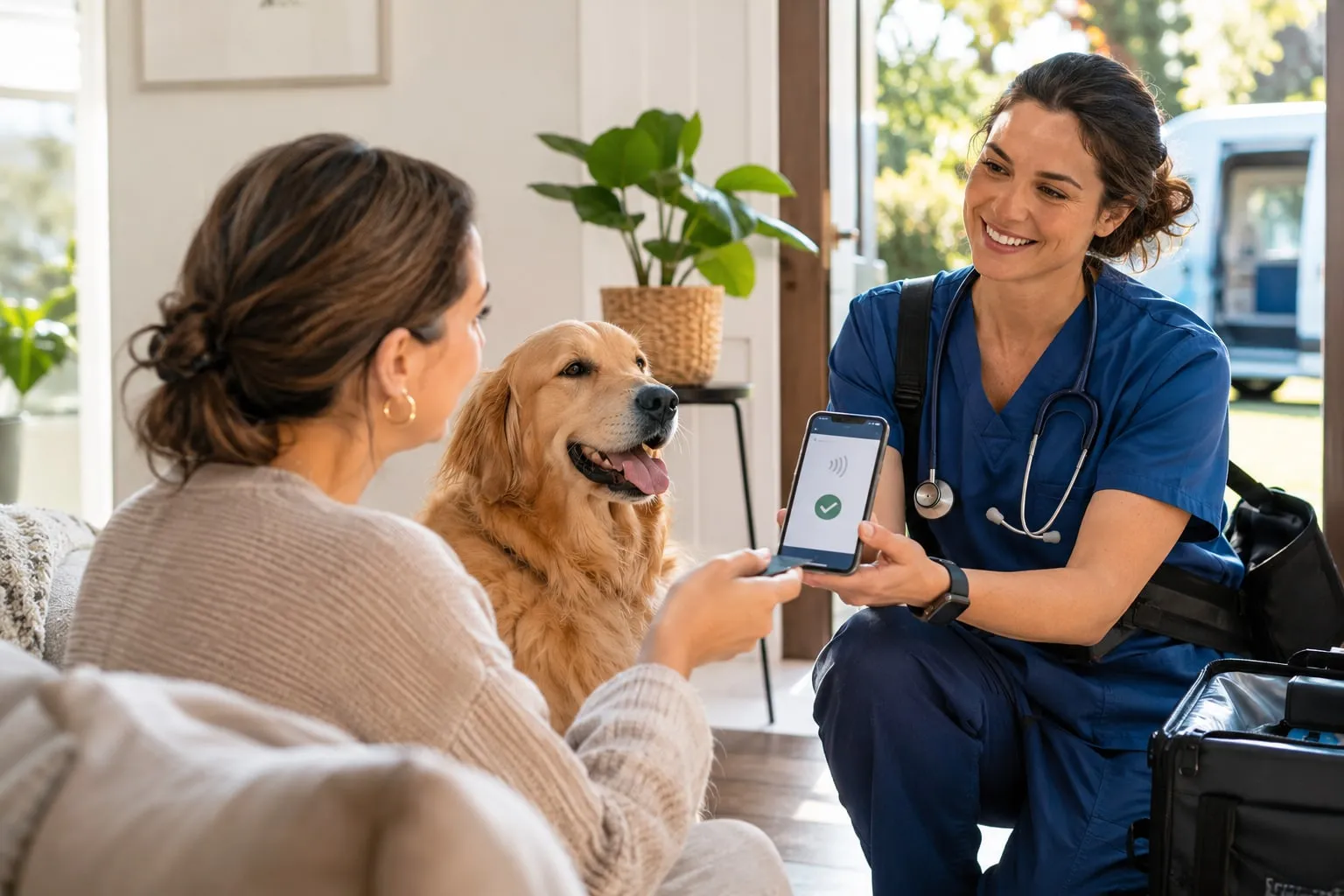
Running a mobile veterinary clinic comes with its own set of challenges. You’re constantly traveling between appointments, treating pets in different locations, managing schedules, and making sure every animal gets the attention it deserves.
But there’s one part of the job that can become surprisingly frustrating: getting paid.
Imagine finishing a home visit after treating a sick dog. The pet owner is grateful, the appointment went well, and you’re ready to head to your next patient. Then comes the awkward moment of collecting payment.
The owner doesn’t have cash. Your card machine isn’t working, or perhaps you don’t carry one at all. So you promise to send an invoice later.
Now, instead of moving on with your day, you have another unpaid bill to follow up on.
Sound familiar?
For mobile veterinarians, situations like these can quickly turn into lost time, delayed payments, and unnecessary paperwork.
The good news? You don’t need a traditional checkout counter to accept payments anymore. With the right mobile payment solution, your smartphone can become a convenient way to get paid wherever your veterinary services take you.
Let’s explore how it works and why it could make a real difference to your mobile vet business.
Why Collecting Payments Is Challenging for Mobile Vet Clinics
Unlike traditional veterinary hospitals, mobile vet clinics don’t operate from a fixed location. Your workplace might be someone’s living room, a farm, a parking area, or the back of your veterinary van.
While this flexibility is great for pet owners, it can make payment collection complicated.
Here are some of the challenges mobile veterinarians deal with regularly.
1. Carrying Extra Payment Equipment
When you’re already carrying medical supplies, diagnostic equipment, and treatment essentials, the last thing you want is another device to manage.
Traditional card terminals can add extra costs, require charging, and sometimes depend on separate connectivity.
For a busy mobile veterinarian, carrying fewer devices can make daily operations much easier.
2. Chasing Payments After Appointments
Sending invoices after every appointment might seem manageable when you’re seeing only a few patients.
But as your client list grows, unpaid invoices can pile up.
You may find yourself spending evenings sending reminders, checking bank statements, or contacting pet owners about outstanding balances.
That’s valuable time you could spend caring for animals, planning appointments, or simply enjoying some well-earned downtime.
3. Limited Payment Options for Pet Owners
Not every client carries cash or prefers the same payment method.
Some want to use their debit or credit card. Others prefer digital wallets or online payments.
When your clinic can’t accommodate their preferred payment method, even a successful appointment can end with an inconvenient checkout experience.
4. Keeping Track of Every Transaction
Picture this: you’ve visited six patients in different locations, received two cash payments, sent three invoices, and accepted one bank transfer.
By the end of the day, remembering which payments have cleared can become a headache.
Without an organized payment process, small mistakes can lead to missing records, inaccurate reports, and additional administrative work.
Can Mobile Veterinarians Really Accept Payments Using Just a Phone?
Yes. With a compatible mobile point-of-sale (POS) solution, veterinarians can accept payments using a smartphone.
Modern payment technology allows businesses to process transactions outside a traditional retail environment.
Depending on the app, smartphone, and payment service available in your region, you may be able to accept payments through:
- Card Payments on Your Phone: On a compatible phone, clients tap a contactless debit card, credit card, or digital wallet to pay, with no separate terminal.
- Payment Links: Send clients a secure link so they can pay using their own device.
- Mobile Card Readers: Connect a small portable reader to your smartphone to process card payments.
- Digital Invoices: Send an invoice that clients can review and pay electronically.
These methods differ, and not every mobile POS app offers all of them. But they share one important benefit: they make it easier to collect payments while you’re on the move.
For a mobile vet, that means fewer reasons to postpone payment until later.
How to Start Accepting Payments on Your Phone
Switching to mobile payments doesn’t have to be complicated. Here’s a practical way to get started.
Step 1: Choose a Mobile-Friendly POS App
Start by finding a POS solution designed for small businesses that work beyond a fixed checkout counter.
Look for a simple interface, transparent processing fees, appropriate security protections, and payment methods your customers already use.
If you plan to take card payments directly on your phone, confirm that the app supports your particular device and works in your country.
Step 2: Set Up Your Business Account
Once you’ve chosen a provider, complete its registration and verification process.
You’ll generally need to provide business information and connect an eligible bank account to receive payouts.
Before your first appointment, review the provider’s transaction fees, payout schedule, and refund process so there are no surprises later.
Step 3: Prepare Your Checkout Process
Think about how you’ll handle payment at the end of each visit.
For example, your bill might include:
- Home visit or consultation fee
- Vaccinations or treatments
- Medication
- Additional procedures or services
Prepare a clear itemized bill and explain the total to the pet owner before requesting payment.
This small habit makes checkout feel professional and helps prevent misunderstandings.
Step 4: Accept Payment Before Leaving
Once the appointment is complete, open your payment app and enter or select the amount due.
The client can then pay using one of the supported methods.
When the transaction is approved, confirm the payment and provide a receipt if your chosen system supports it.
Instead of returning home to send another invoice, you can finish the visit knowing the payment has been handled.
Step 5: Review Your Transactions
At the end of the day, compare completed payments against your appointment records.
A mobile POS system with transaction history or reporting tools can make this easier.
You’ll have a clearer picture of what you’ve earned, which appointments are still unpaid, and whether any transactions need attention.
How Mobile Payments Can Help Your Veterinary Business Grow
Mobile payments aren’t just about making checkout quicker. They can also improve the way your business operates.
Get Paid Sooner and Improve Cash Flow
When clients can pay immediately after an appointment, you don’t have to depend on them remembering an invoice days later.
Faster collection can help you manage essential expenses such as medical supplies, fuel, equipment, and veterinary medications.
And when cash flow becomes more predictable, it’s easier to plan for business growth.
Spend Less Time on Administration
Every minute spent following up on unpaid bills is a minute you can’t spend helping your patients.
A simpler payment process can reduce manual tracking, repeated reminders, and end-of-day paperwork.
For independent veterinarians and small teams, that extra time is especially valuable.
Create a Better Experience for Pet Owners
When someone’s pet is unwell, the last thing they want is a complicated payment process.
Offering an easy, professional way to pay shows clients that you respect their time.
A smooth checkout may seem like a small detail, but it’s often one of the final things a customer remembers about your service.
Happy clients are also more likely to return when their pets need future care or recommend your clinic to other pet owners.
Make It Easier to Expand Your Services
As your mobile veterinary business grows, you might start serving more neighborhoods, offering farm visits, or adding another veterinarian to your team.
A portable payment setup can support that flexibility.
Rather than relying on a fixed payment counter, you can build a checkout process that works across different locations, provided you have the necessary device compatibility and connectivity.
A Few Practical Tips for Smoother Mobile Vet Payments
Even the best payment app works better when paired with good business habits.
Discuss costs before starting treatment. Give clients an estimate whenever possible, especially for procedures that may involve additional charges.
Check connectivity before appointments. Mobile payment processing generally requires internet access. If you’re visiting a remote farm or an area with weak reception, have a secure backup payment option ready.
Keep your phone charged. Your smartphone may be your appointment calendar, navigation system, communication tool, and payment device. A portable charger can save you from an inconvenient interruption.
Use a trusted payment provider. Never collect card information through ordinary text messages or store sensitive card details in your phone’s notes. Choose a provider with appropriate payment security controls.
Maintain accurate records. Match payments with appointments and keep receipts organized. This will make refunds, bookkeeping, and tax preparation much less stressful.
What Should You Look for in a Mobile POS App for Vets?
Before choosing a solution, consider the following questions:
- Is the app simple enough to use between busy appointments?
- Does it support the payment methods your clients prefer?
- Can you use it while traveling between different locations?
- Are the transaction fees and payout timelines clear?
- Can you review payment history and track completed transactions?
- Does it provide secure processing and reliable customer support?
The right solution should make running your practice easier, not create another task on your already busy schedule.
Your Veterinary Clinic Is Mobile. Your Payments Should Be Too.
Mobile veterinary care is built around convenience, flexibility, and personalized attention.
Pet owners appreciate having a trusted veterinarian come to them. And as a veterinary professional, you deserve tools that make delivering that service easier.
You shouldn’t have to carry unnecessary equipment, spend evenings chasing unpaid invoices, or let payment complications interrupt your schedule.
A smartphone-based POS solution can help you build a more organized payment process, reduce unnecessary administration, and focus on what matters most: caring for animals.
If you’re exploring ways to simplify daily operations, PayRoamer is a mobile POS app worth considering for your small business. As you compare payment solutions, look at how well each one fits your veterinary workflow, supported devices, and preferred payment methods.
Because when you spend less time worrying about payments, you have more time to grow your practice and care for the pets that depend on you.
Ready to make payments one less thing to worry about? Explore PayRoamer and discover a simpler approach to managing payments for your mobile veterinary business.

Written by
The PayRoamer team
We build PayRoamer, a point-of-sale app for small businesses in the United States that take payment in person, from mobile vets and groomers to food trucks. Ring up a sale, take payment, send a receipt and get paid out to your bank, all from your phone. PayRoamer is an app from My Vet Hub, Inc.